An identity that stays together.
Browser identity, region, device, and selected rendering signals follow one consistent profile. It stays with you until you regenerate it.
 veilprint.
A CHROME EXTENSION
Give websites a coherent picture of your browser. Veilprint brings your identity, region, and device signals together — with the controls to make them yours.
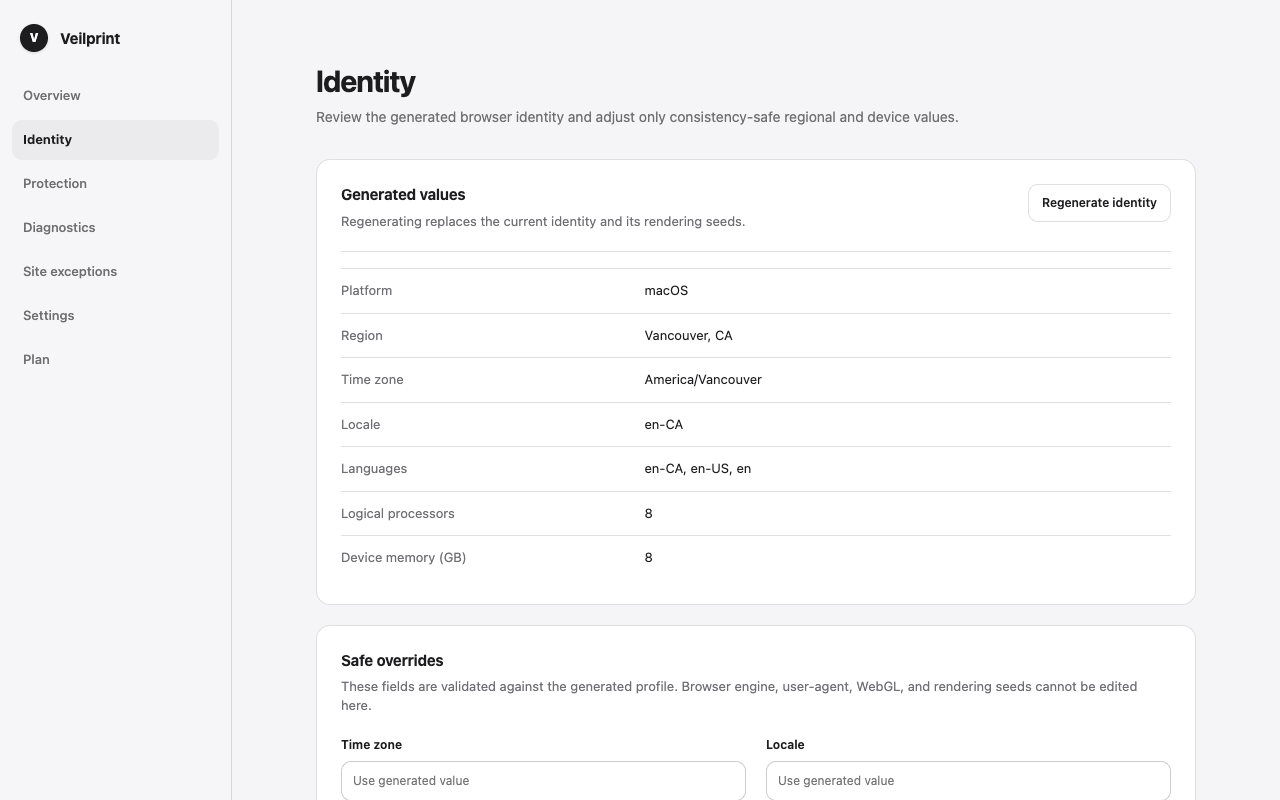
Product screenshot · example identity
VEILPRINT, UP CLOSE
Set an identity, choose your protections, and see how they line up. All in one place.
One persistent identity, across websites and browser restarts. Regenerate it when you choose.
Browser identity, region, device, and selected rendering signals follow one consistent profile. It stays with you until you regenerate it.
Refresh regional data independently. Adjust supported timezone, language, and device values without starting your identity over.
Use the Balanced preset, choose individual modules, or pause by hostname. Diagnostics show what is aligned, partial, unavailable, or in conflict.
Get started
For Chrome 138 or later on macOS. Currently in alpha.
Add the extension from the Chrome Web Store.
Open Veilprint’s extension details in Chrome and enable Allow User Scripts.
Open a regular website, then use Veilprint’s settings to configure your identity and protection.